01
Start with a drawing—or bring your own.
Draw precise shapes and editable text in Cutloom, or import SVG and DXF artwork from the design tools you already use.
Native 2.5D CAD/CAM for Apple silicon
Draw or import your design, create precise toolpaths, inspect the result in 3D and export machine-ready G-code—all in one focused, native macOS app.
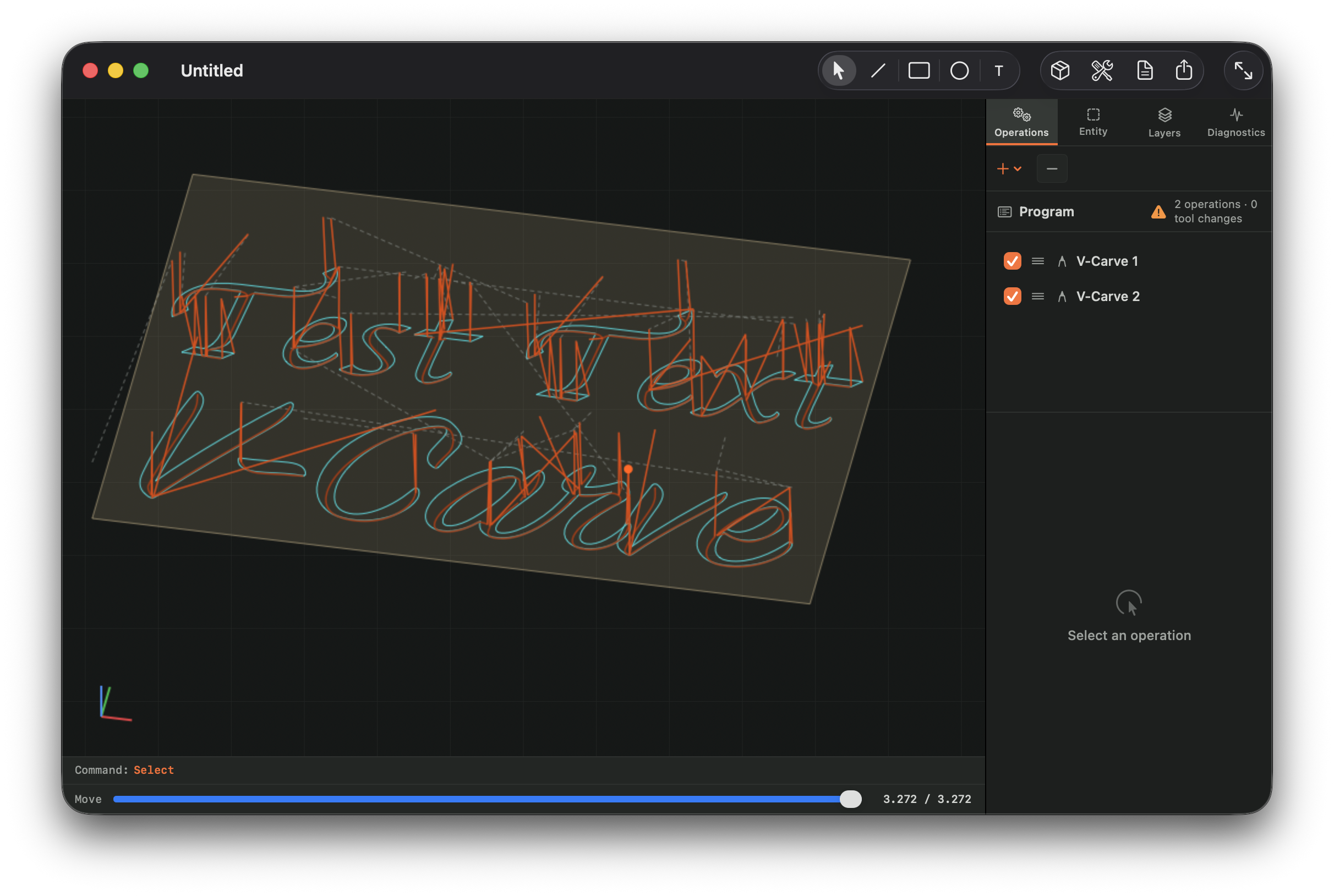
Available in beta 0.9
Inspect the complete CNC program in 3D, then simulate material removal to check how V-carving and other operations will look in the stock.
Orbit around the complete job and inspect cutting depths, layered passes and travel moves from any angle.
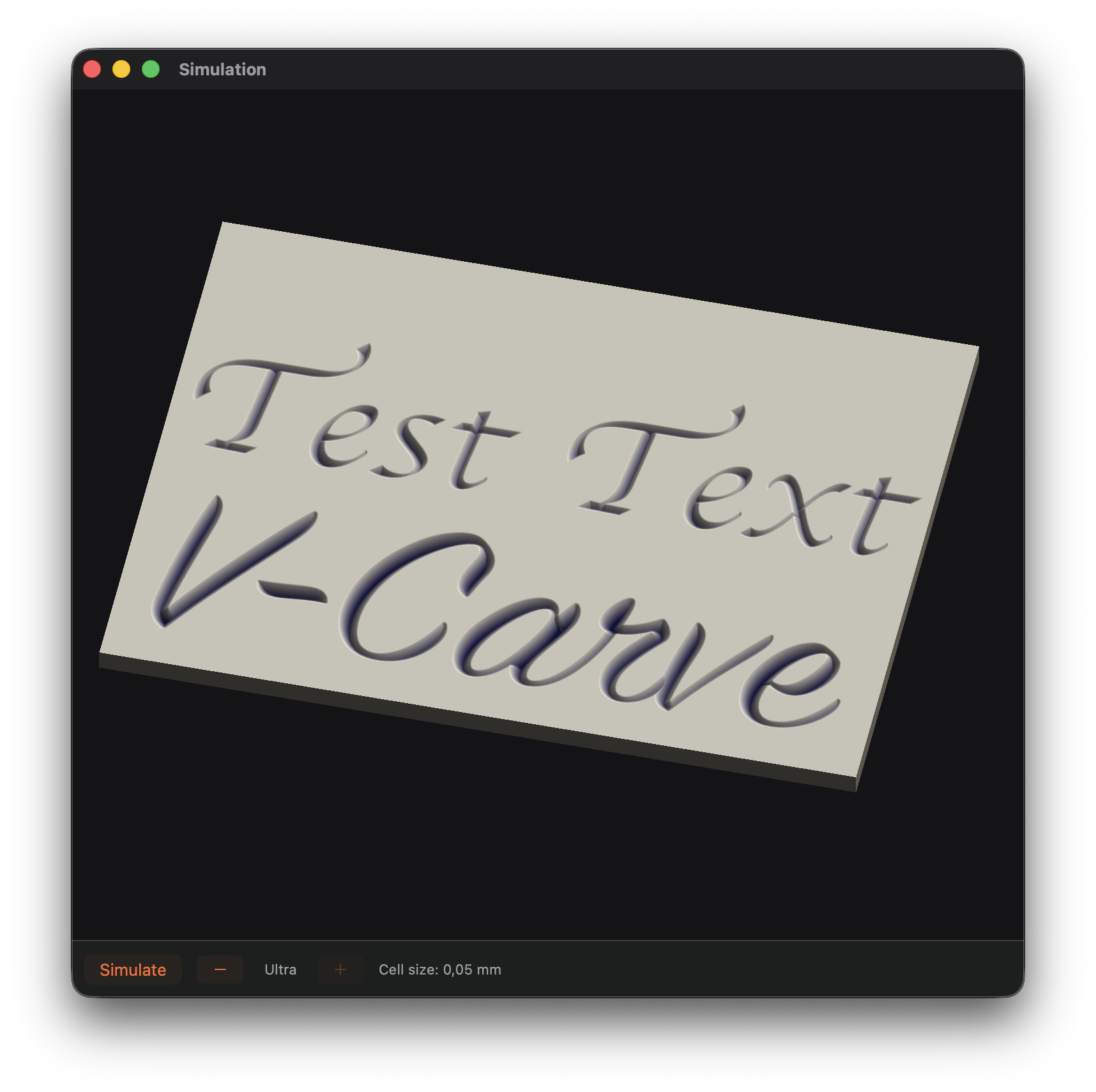
Preview the machined surface before generating G-code and sending the job to your CNC machine.
Simple to start. Capable when it matters.
Built for everyday 2.5D CNC work: signs, panels, brackets, templates, lettering and the workshop projects in between.
Draw precise shapes and editable text in Cutloom, or import SVG and DXF artwork from the design tools you already use.
Create profiles, pockets, drilling, engraving and V-carving with practical controls for tools, depths, entries and tabs.
Generate G-code for Mach3, GRBL or LinuxCNC, inspect the exact output and add a custom postprocessor when your setup needs one.
Import DXF or SVG, or draw lines, rectangles, circles, arcs and polylines from scratch with click-to-draw and numeric entry. Snap to geometry or the grid, create editable text—including text along a path—and undo every step with clear labels.
Create inside, outside and on-line profiles with lead-ins and tabs; linked or raster-cleared pockets; peck and dwell drilling with optimized hole order; and true medial-axis V-carving. Stock-aware depths update automatically when stock thickness changes.
Only changed operations regenerate, and regeneration can be cancelled while editing. True arcs stay arcs through the pipeline until a postprocessor needs them lowered—rather than becoming thousands of tiny line segments.
Export with the included GRBL, LinuxCNC and Mach3 posts, or edit a plain-JavaScript post for your controller. Every program is re-parsed and checked against the internal toolpath, with operation boundaries and divergences visible in the G-code preview.
Orbit around the toolpath, watch GPU-accelerated material removal—with a CPU fallback—and review the cut-time estimate before committing stock to the job.
Keep a reusable tool library and machine profiles with feed, travel and acceleration limits plus an assigned postprocessor. Switch machines without entering the same setup again.
One continuous workflow
Create clean primitives or import SVG and DXF while preserving layers, units and curves.
Set stock and tools, then add profiles, linked pockets, drilling, engraving and deliberate tab placement.
Orbit around the complete toolpath in 3D and simulate material removal to catch problems before they reach your stock.
Export with a built-in Mach3, GRBL or LinuxCNC postprocessor—or adapt a custom post for your own controller.
Development roadmap
The full workflow—from drawing and true V-carving to verified G-code and material simulation—is available to test now. Beta access is free, with no account and no phone-home licence check.
Draw precise geometry or import SVG and DXF. Work with snapping, coloured and lockable layers, full undo and text that stays editable—even when laid out along a path—until you convert it to curves.
Create profiles, linked pockets, drilling and on-line engraving with tabs, ramps and helix entry. Preview the whole program, fit compact G2/G3 arcs and export verified G-code—or gcode—for Mach3, GRBL, LinuxCNC or a custom postprocessor.
Beta 0.9 brings optimized medial-axis V-carve paths, an interactive 3D backplot, material-removal simulation and cut-time estimates. The remaining work toward 1.0 focuses on feedback, reliability and polish.
Clear limits, safer expectations
Cutloom does a defined job well. These boundaries are intentional for the beta and worth knowing before you start.
There is no feeds-and-speeds calculator or materials library yet. Relief engraving and image-to-toolpath are planned after 1.0. Non-rectangular stock, nesting, lathe work, laser/plasma-specific features and DXF/SVG export are not currently supported.
Simulation shows material removal. It does not detect undercuts, fixture or clamp collisions, machine-limit violations or surface finish—and it never replaces reviewing the G-code and making a careful first cut in new material.
Built differently
Cutloom is a native Mac app. Your drawings, tool library and G-code stay on your machine—available even when the internet is not.
Follow the buildNo account, telemetry or license check that phones home.
Fast canvas interaction, real macOS documents and familiar keyboard control.
A one-time purchase with paid major upgrades—not another subscription.
Early beta available now
Download the early beta today, or join the mailing list for new builds, development notes and launch news. No weekly marketing machine.
Questions or feedback?
Have a workflow Cutloom should understand, or interested in testing it on your machine? Send a note.